Security Mode
Protecting sensitive content without breaking collaboration
- Role
- Senior Product Designer · Sole designer
- Core team
- PM · Engineering Manager · ~15 engineers
- Status
- 5-customer private beta → public beta
- Worked with
- Security & Compliance · Legal · customer-facing teams · enterprise customers
Mandate
Identified the gap, built the case for prioritization, and owned the system through beta.
Classification didn't yet add up to one protected board
Miro could already detect and classify sensitive content on a board.
What didn't exist was a single, coherent state that followed from that classification — so a board could be flagged as sensitive without its protection, review or reclassification behavior changing in any consistent way.
Existing
- Detect
- Classify
Not yet governed
- Protection
- Review & resolution
- Governed reclassification
Classification became a state, not a label
Before
Classification was information about the board.
After
Classification changes the board's security state.
That state runs on one lifecycle, reused everywhere the product now touches sensitive content:
- 01
Detect
- 02
Classify
- 03
Protect
- 04
Review
- 05
Remediate
- 06
Reclassify
Decision 01
Make protection a persistent board state
Security events could have stayed isolated alerts — one for a restricted share, another for a sensitive-content match, another for a classification change. Instead, classification moves the board into a persistent protected state that becomes part of its identity.
One board state now governs access, sharing, review and remediation.
Decision 02
Protect the board without removing the product
Locking the board down completely is the safer default — and it undermines the reason people use Miro. Security Mode restricts only the actions that introduce risk and leaves the rest of the board untouched.
Restrict what the risk requires. Preserve everything else.
Decision 03
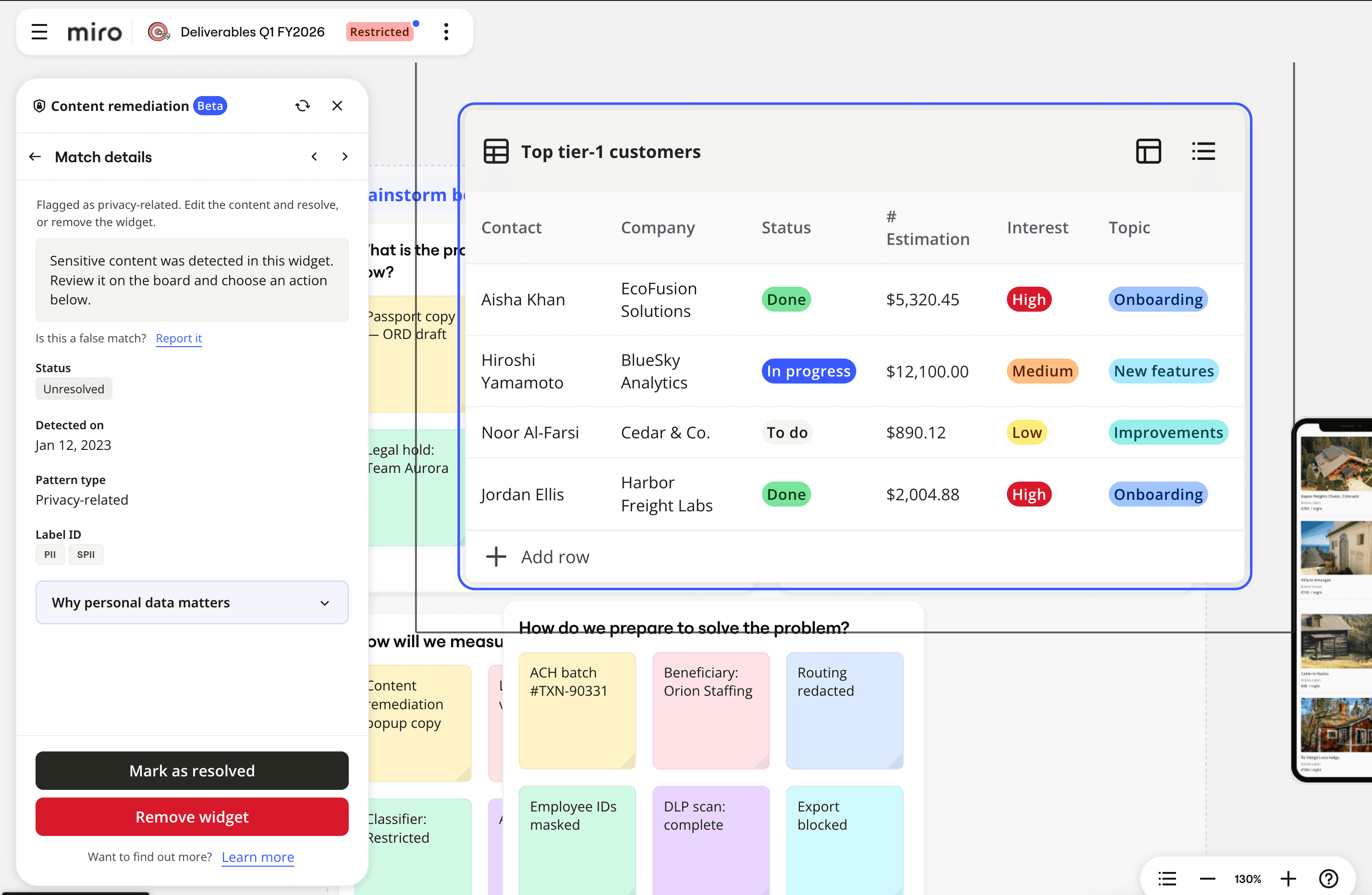
Bring remediation to the content
Security tools default to sending findings to an administrator who often doesn't know why the content exists. Security Mode instead opens the finding, its board context and the fix in one panel, right where the content lives.
The board owner resolves it without leaving the board.
Decision 04
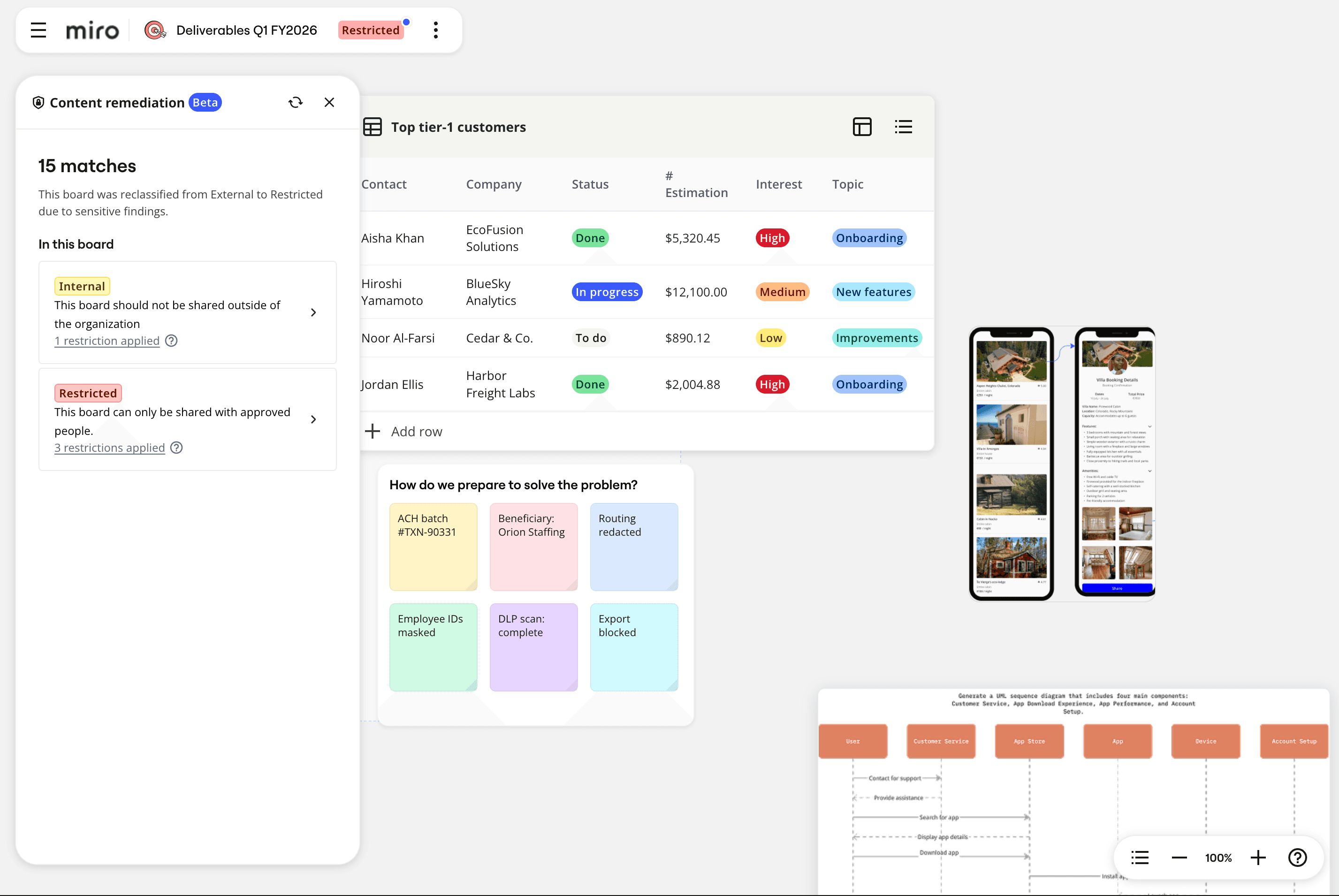
Treat reclassification as part of the threat model
Classifying a board tightens protection. Reclassifying it can loosen it — so the two need different authority, not the same permission wearing two hats.
Reclassification carries its own guardrails, separate from the ones used to classify a board in the first place.
From product gap to governed security system
I identified the gap
Security Mode wasn't assigned to me as a defined feature — I used recurring enterprise customer escalations to help make the case for prioritizing it.
The design crossed organizational boundaries
Getting the model right meant working directly with Security & Compliance and Legal on what “protected” had to mean, and with customer-facing teams and enterprise customers on what would hold up in their environments.
The model had to outlast the first release
The same state and permission model now underpins protection, review, remediation, governance and reclassification — not just the original release.
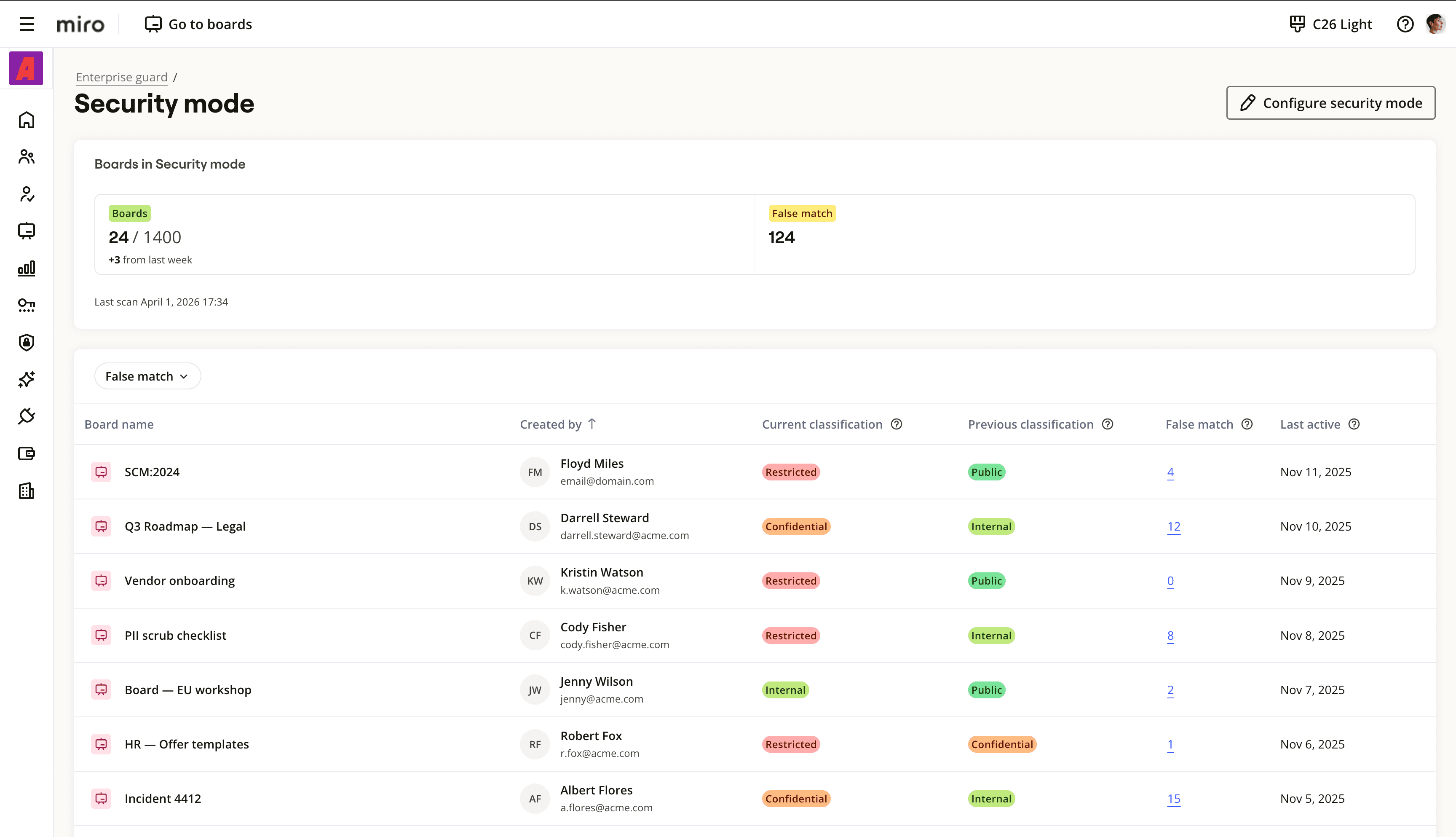
What Security Mode became
Board experience
Protected state, review and remediation, in context.
Admin & governance experience
Policy, classification history and false-match visibility, for the whole organization.
What we know so far
5
Enterprise customers
Private beta validation.
Progression
Moved to public beta after incorporating customer feedback.
Internal adoption
Enabled for Miro's own use after the required Security & Compliance review.
System leverage
The same model expanded into review, remediation, admin visibility and governance.