AWS Quick Setup
Hiding cloud complexity behind user intent
- Role
- UX Designer
- Timeframe
- Oct 2020 — Feb 2024
- Scope
- Console experience, information architecture, terminology, flows
Mandate
Identified that the problem was assembly, not capability, and designed the outcome-first setup model AWS Systems Manager adopted as a platform.
The problem wasn't a lack of capability
AWS already had every underlying service customers needed.
The problem was assembling them. A DevOps engineer configuring one operational capability could touch services, accounts, Regions, permissions, resources and organizational units — each individually correct while the end-to-end task stayed difficult.
Available already
- Services
- Permissions
- Accounts & Regions
Not yet assembled
- One workflow
- Recommended defaults
- Deployment across scope
Shift from configuration to intent
Before
Configuration started with the system: which service, resource, policy, Region, account.
After
Configuration starts with the customer's outcome — the system assembles the rest.
That model runs on one repeatable flow, reused by every configuration in the library:
- 01
Desired outcome
- 02
Recommended configuration
- 03
Scope
- 04
Review
- 05
Deploy
Decision 01
Start with a library of outcomes
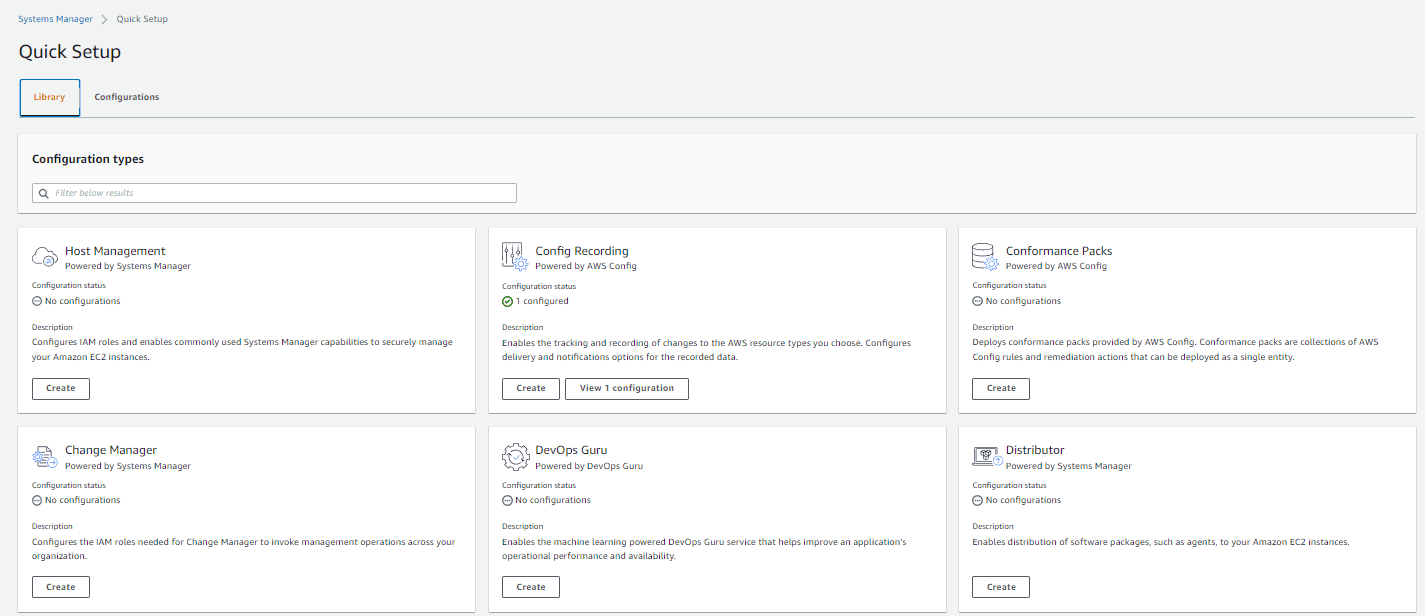
Exposing the underlying services and letting customers compose their own configuration preserved maximum flexibility, and most of the original complexity with it. Quick Setup instead introduced a library of recommended configurations built around common operational needs, so customers chose the capability they wanted rather than first identifying every service needed to create it.
The entry point changed from configuring AWS services to setting up an operational capability.
Decision 02
Separate what from where
Once a customer chose what to configure, the next question was scope — and cloud infrastructure doesn't live in one place. A configuration might apply to one resource, one account, selected accounts and Regions, or an entire organization through AWS Organizations.
The same interaction could represent a single-resource change or an organization-wide one.
Decision 03
Recommended defaults first, control second
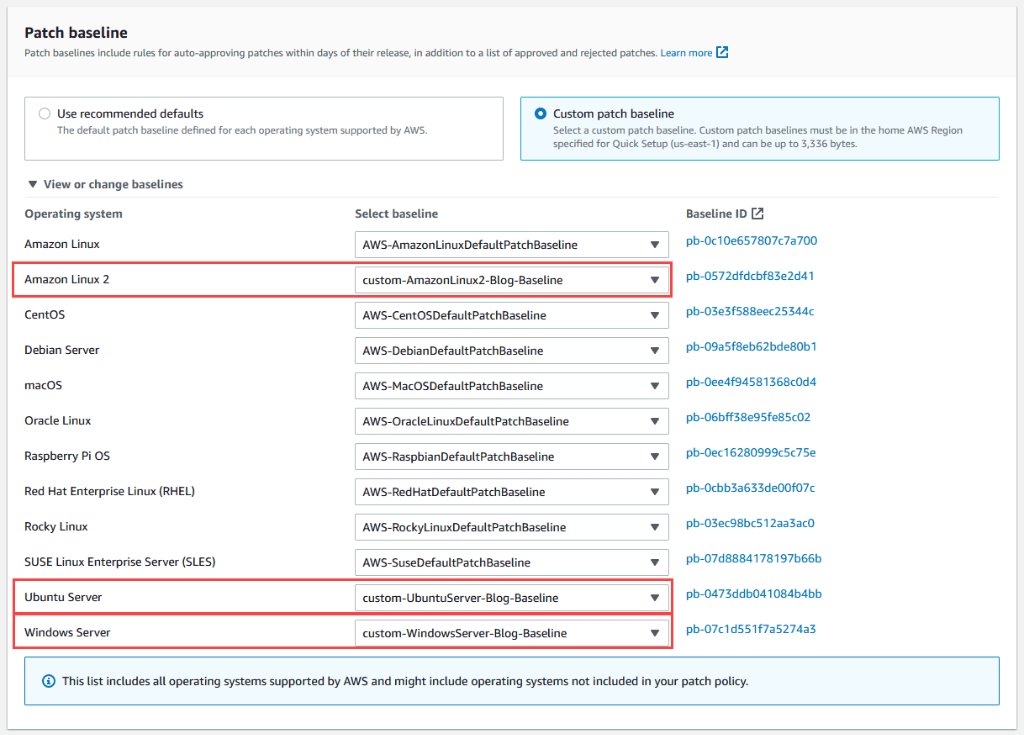
Infrastructure interfaces often treat flexibility as the same thing as exposing options. Most customers shouldn't need to make every possible decision, so Quick Setup used recommended defaults based on AWS guidance while still allowing deeper customization when the defaults didn't fit.
Recommended path first. Advanced control when needed.
Decision 04
Show the consequence before deployment
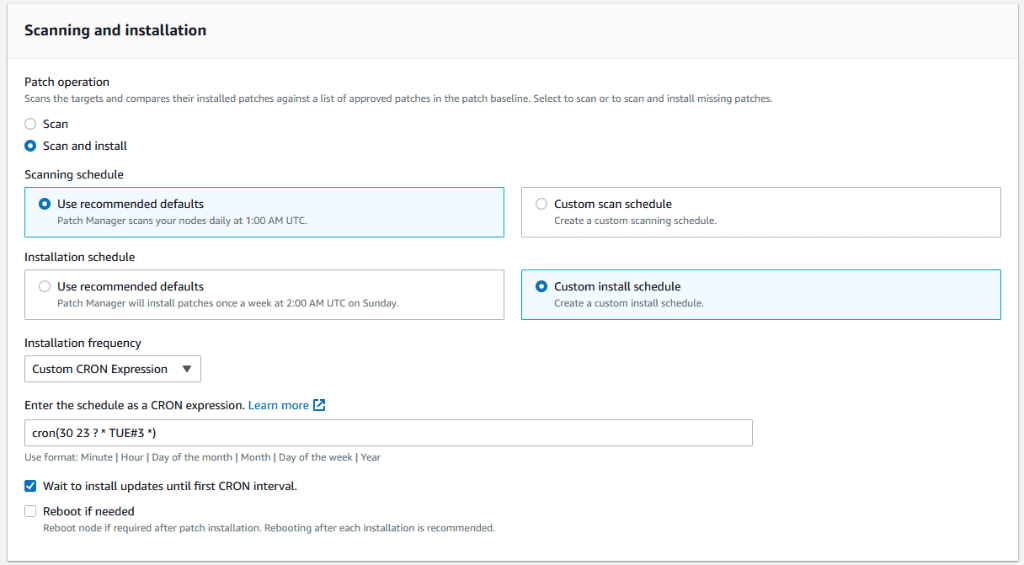
If the system does work on the customer's behalf, the customer needs to understand what will happen before committing to it. Selecting a configuration led to a preview of the actions and scope before deployment — what would be created, and where it would run.
The system could hide implementation complexity without becoming opaque.
From a setup wizard to a setup platform
I identified the deeper problem
The problem wasn't AWS lacking a service — it was that no experience assembled existing services around what an operator was actually trying to do. Naming that reframed Quick Setup from one more console feature into a platform-level fix.
The model crossed team boundaries
The configuration library wasn't a fixed collection owned by one team. It was designed so other AWS teams could publish their own configurations while relying on the same setup model — a repeatable grammar other teams didn't need to reinvent.
The model had to outlast the first release
The same choose → configure → scope → review → deploy model now spans capabilities well beyond the original patch-management use case, including cross-account experiences spanning observability, cost, compliance and security.
What Quick Setup became
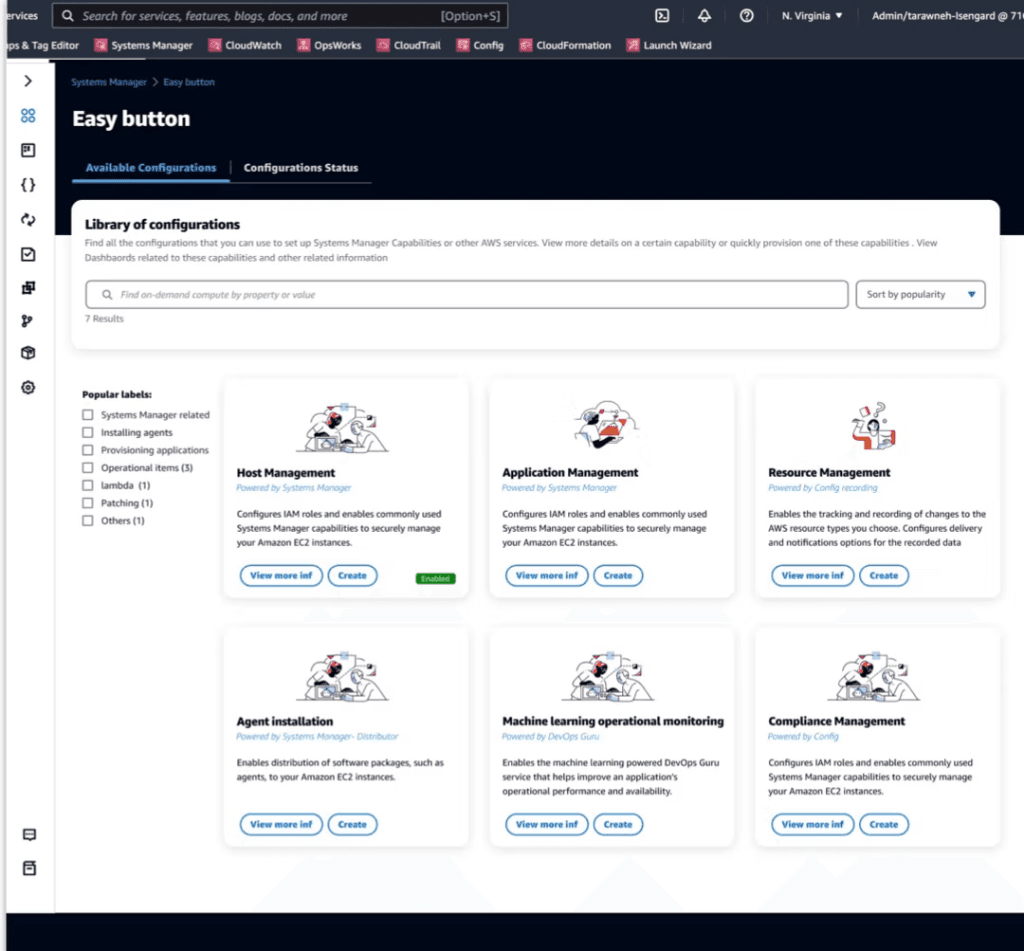
Configuration library
Capabilities presented as configurations an operator can find, compare and provision.
Recommended defaults, in the console
Recommended defaults sit beside custom control, so an operator can accept AWS guidance or express an exact policy.
Program-level impact
64%
Cross-feature adoption
Publicly documented Management Tools program metric — not a causal claim about Quick Setup alone.
Progression
Other AWS teams now publish their own configurations using the same setup model.
20% faster
Reduction in time to first cross-feature adoption, program-wide.
50% MoM growth
Growth in cross-account deployment, program-wide.